Script
vhs-server.mjs
Local companion server for the VHS tape experimenter
Written with LLM assistance. Review before running.
v0.1
·
Updated 2026-03-09
VHS is an open-source tool for creating scripted GIF recordings of CLI sessions — you write a "tape" file describing what to type, and VHS renders it into a GIF. There's lots of customisation options, and changing these, rendering, and reviewing the result is tedius. So I made a web GUI to experiment with them. You need both this script and the GUI to use it.
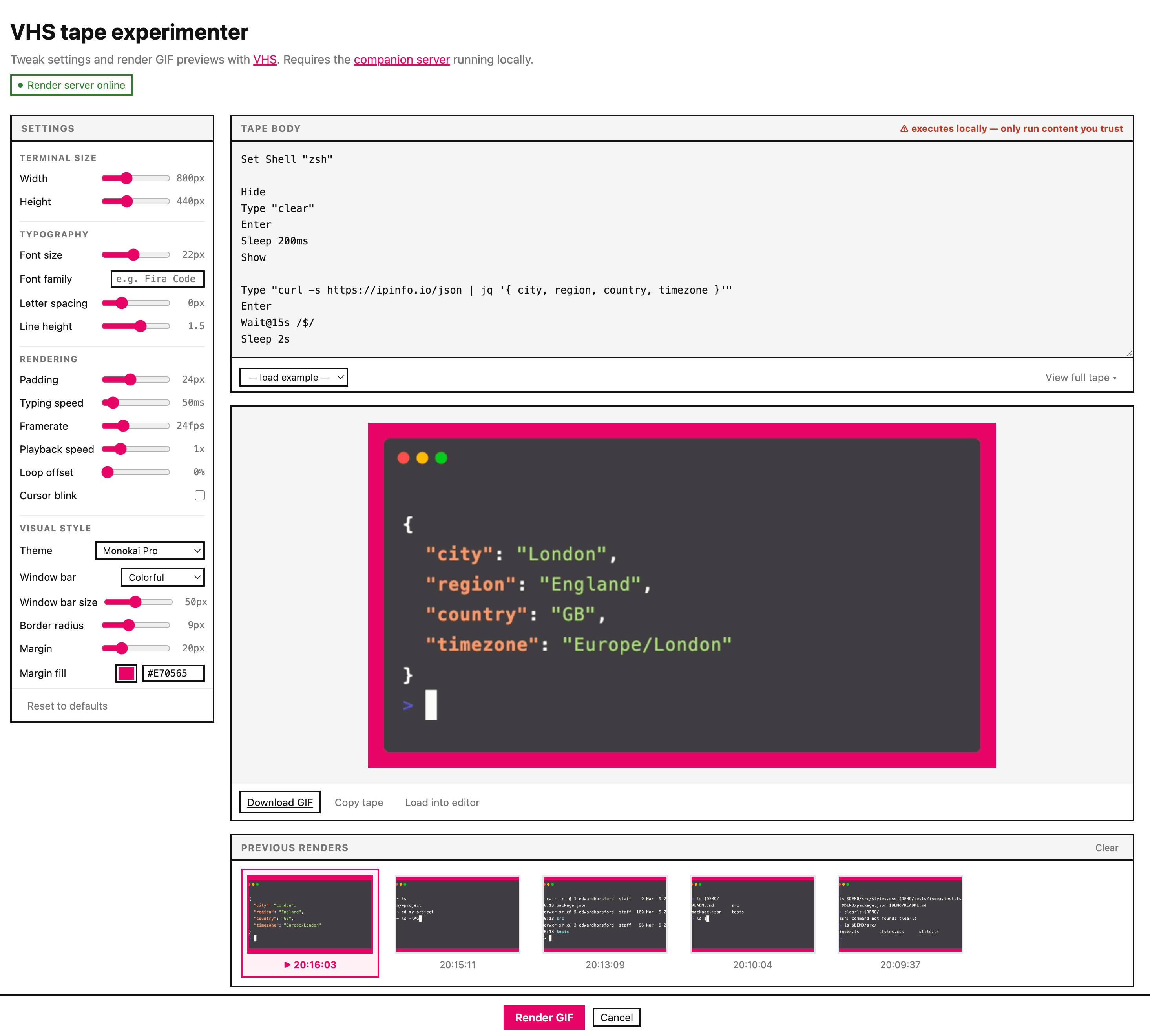
This is a small Node.js HTTP server that lets the VHS tape experimenter render GIFs in your browser. The experimenter page sends tape content to the server, which runs vhs locally and streams the resulting GIF back.
⚠ VHS executes the tape as shell commands on your machine. Only render tape content you trust — treat it with the same caution as running a shell script!
Screenshot
Requirements
- Node.js 18+ — check with
node --version - VHS — install with
brew install vhs(macOS) or see the VHS releases page
Setup
- Download vhs-server.mjs to a convenient location
- Make it executable (optional):
chmod +x vhs-server.mjs- Run it:
node vhs-server.mjs
# or if you made it executable:
./vhs-server.mjs
You should see:
VHS render server running at http://localhost:7788
Open the experimenter: https://tools.edwardhorsford.com/vhs-tape-experimenter.html
- Open the VHS tape experimenter — the server status in the top-left should show online
Usage
Keep the server running in a terminal tab while you use the experimenter. Press Ctrl+C to stop it.
node vhs-server.mjs --helpHow it works
The server listens on http://localhost:7788 (loopback only — never exposed to the network). When the experimenter clicks Render, the browser POSTs the tape content to /render. The server writes it to a temporary directory, runs vhs, reads the output GIF, returns it, then cleans up.
Security
⚠ VHS executes the tape as shell commands on your machine. Only render tape content you trust — treat it with the same caution as running a shell script. Shut down the serer when you're done!
The server has two layers of protection:
Localhost only — it binds to 127.0.0.1, so it is unreachable from other devices on your network or the internet.
Origin allowlist — browsers always send an Origin header on cross-origin requests. The server checks this against an allowlist (tools.edwardhorsford.com and localhost dev origins) and returns 403 for anything else. This prevents other websites open in your browser from silently POSTing tape commands while the server is running — a technique sometimes called a DNS rebinding or CSRF-against-localhost attack.
There is no authentication beyond this. You should make sure to quit the server when done.
Version history
| Version | Date | Notes |
|---|---|---|
| 0.1 | 2026-03-09 | Initial release |